Support is not a bonus feature. It is the difference between a brief interruption and a long, stupid day that eats your sales, your email, and your patience.
Buyers usually ask the wrong first question. They ask what the hosting plan costs, how much storage is included, or whether the dashboard looks clean. Those things matter, but they are not the first diagnostic step. Ask what happens when SSL fails on a Friday night. Ask how fast someone answers when business email stops delivering. Ask who handles DNS, backups, and WordPress issues when the problem crosses three systems and starts pretending it is only one.
For broader planning context, teams can compare guidance from web.dev guidance before choosing a workflow.
I care less about the sales page than the operating reality behind it. If you are comparing providers for website hosting and business email, this checklist is built for the moment before you buy, while you still have leverage and before your assumptions become invoices.
What you will get here: a blunt 10-question pre-sales checklist, a plain-language breakdown of what support should actually cover, a short emergency playbook, and a verification list you can run inside the control panel before you commit. No fluff. Just the questions that rule out the obvious failure modes.
Written by Felix Rowan
Updated June 7, 2026
Related implementation details are also covered in MDN Web Docs, which helps keep tool decisions grounded in established practices.

Why Support Quality Matters for Hosting and Business Email
Hosting support gets marketed like oxygen: supposedly everywhere, rarely inspected, and noticed only when it disappears. That is a mistake. A weak support process turns simple issues into business interruptions. A strong one reduces downtime, keeps ownership clear, and stops small misconfigurations from becoming account-wide damage.
Reliable support does not mean someone replies with a friendly sentence and a ticket number. It means five boring but vital things are true:
- Response expectations are clear. You know how quickly urgent issues are acknowledged, not just how quickly a bot says hello.
- Escalation is real. There is a path from front-line triage to someone who can actually fix DNS, mail routing, SSL, or account access.
- Scope is defined. You know what support will handle directly and what they will only point you toward.
- Ownership stays with you. Domains, DNS, mailbox settings, and backups are visible and manageable from your side of the account.
- Emergency handling is documented. Account lockouts, restore requests, and delivery failures are not treated like rare folklore.
If a provider cannot explain those basics in plain language, that is the symptom. The actual problem is that the operating model is either weak, hidden, or improvised. None of those options improve after payment.
The 10 Questions to Ask About Response Time and Escalation
Ask these before you buy. Ask them in writing. Ask them in a way that forces specifics. “We provide excellent support” is not an answer. It is decorative fog.
| Question | Why It Matters | What a Useful Answer Looks Like |
|---|---|---|
| 1. What counts as urgent, and what is your target first-response time for urgent tickets? | You need to know whether email outages, SSL failures, or account lockouts are treated as priority incidents. | A written target by severity, such as account access, website down, email delivery disruption, or billing-only issues. |
| 2. Do you offer after-hours support for website and email incidents, or only for billing and account issues? | “24/7” is often theater unless they define what is actually covered overnight. | A clear breakdown of channels and issue types supported outside business hours. |
| 3. How do you escalate tickets that are not resolved on first reply? | You are buying the path to resolution, not just the first human greeting. | A named escalation flow from first-line support to senior technical staff. |
| 4. Can I contact support by ticket, email, and phone or live chat, and which channel is best for urgent incidents? | Different problems need different channels. A restore request should not depend on guessing the right inbox. | Clear channel guidance with a preferred path for outages and security-sensitive issues. |
| 5. Who handles DNS and mail-routing issues when website hosting and email are linked? | DNS problems often affect both site access and business email. Split ownership causes delays. | A direct statement on whether they will assist with DNS records, validation, and troubleshooting. |
| 6. What proof or updates do you provide while an incident is in progress? | Silence makes clients invent explanations, usually bad ones. | Status updates, timestamps, next actions, and confirmation when the fix has been applied. |
| 7. What happens if a ticket needs a restore, rollback, or mailbox recovery? | Restores are time-sensitive and easy to mishandle if the process is vague. | Expected approval steps, restore scope, and whether support performs the action or guides you through it. |
| 8. Will support help with WordPress troubleshooting, or only server-level issues? | Many buyers assume “hosting support” includes application help. Sometimes it does. Often it does not. | A boundary statement covering plugins, themes, database errors, update failures, and login recovery. |
| 9. If a problem involves a domain registrar or third-party DNS, what part do you handle? | You need to know whether support will diagnose the issue or simply point at someone else. | A defined handoff policy plus the settings, screenshots, or record values they will provide. |
| 10. Can you confirm these support terms in writing before I buy? | Verbal promises evaporate quickly once an outage starts. | An email, proposal note, or support summary attached to the plan details. |
If you want the short version, here it is: ask for time, scope, escalation, and proof. Everything else is branding.
What Support Should Cover in Plain Terms
Support does not need to do everything for you. It does need to make the normal failure points survivable. For this type of service, that usually means the provider should be able to speak clearly and act competently around the core account areas below.
Domains and DNS
Support should be able to confirm where DNS is managed, which records control the website, which records control email, and what should change if you move one service without breaking the other. If you ask about A, CNAME, MX, or TXT records and get a vague speech instead of a precise answer, rule that out as a good sign. You want clarity, not interpretive dance.
SSL and HTTPS
Support should explain how certificates are issued, renewed, and revalidated. They should also be able to tell you what happens if a certificate fails to renew, whether both the root domain and www are covered, and who checks the status when the browser starts complaining.
Webmail and Mailbox Setup
Support should cover mailbox creation, password resets, basic alias and forwarding setup, email account access, and a clear path to control panel and webmail login details. They should also be able to distinguish a mailbox issue from a DNS issue from a client-side issue. Those are different problems wearing similar costumes.
Backups and Restore Requests
You should be able to ask what is backed up, how often, how long restores take, whether email is included, and whether restores are partial or account-wide. “We have backups” is not a useful support answer. “Daily snapshots retained for X days, with file and database restore options and a separate email recovery process” is a useful answer.
WordPress Troubleshooting
This is the part buyers misunderstand most. Some hosting providers will help you identify a plugin conflict, a failed update, a permission issue, or a database connection problem. Others stop at confirming the server is reachable. That boundary is fine if it is explicit. It is not fine if you find out during a broken checkout or a locked admin login.
For background on the platform side, the homepage gives the broad service view at resortwebmarketing.com. Use it for context, then come back to the support questions that decide whether the service is manageable under pressure.
Ownership and Access: What You Should Control Yourself
Support should help you. Support should not be the only path to your own settings. If the provider controls everything and you control nothing, that is not managed service. That is dependency with nicer language.
Before purchase, confirm that you can access and manage these items from the account side:
- Domain settings: you can see where the domain points and review the active DNS records.
- DNS records: you can inspect or update A, CNAME, MX, and TXT records when needed, or at least see the current values clearly.
- Email settings: you can create mailboxes, reset passwords, review aliases, and confirm webmail access paths.
- SSL status: you can see certificate state, hostname coverage, and renewal status.
- Backups: you can confirm backup frequency, retention, and restore options.
- User permissions: you can separate admin access from limited staff access instead of sharing one god-mode login forever.
This matters because ownership reduces delay. If a mailbox password needs resetting, you should not have to wait for a human unless policy requires it. If DNS is wrong, you should at least be able to verify what is wrong from your side. If the provider keeps every operational setting hidden, you have no clean way to confirm whether support fixed the issue or merely narrated it.
A decent control panel should make the account structure visible enough that you can rule out the boring thing first: expired SSL, wrong record, disabled mailbox, failed backup, incorrect user permission. The best support teams still want customers who can see basic status clearly. It shortens the path to the actual problem.
How to Handle Emergencies Without Making Them Worse
Every incident feels unique while it is happening. Most of them are not. The mechanics repeat. What changes is whether your provider has a support path that matches the urgency.
Account Lockouts
Ask what identity checks are required to restore access and whether after-hours account recovery exists. A useful support team can tell you the recovery path before the lockout happens. If the answer is “contact us,” ask how, through what channel, and with what required proof.
Failed SSL Renewals
Ask whether certificate failures generate alerts, whether renewals are automatic, and who checks domain validation issues. During an incident, you want a support path that confirms whether the failure is DNS-related, hostname-related, or simply pending. Guesswork is the hobby version of operations.
Email Delivery Problems
Ask what support will check first when messages stop arriving or outbound mail begins bouncing. Good answers mention mailbox status, quota, DNS records, webmail tests, and server-side logs or routing checks. Bad answers jump straight to “try another client” without ruling out the account itself.
Restore Requests
Ask whether restores are self-service, support-assisted, or both. Then ask what can be restored independently: website files, database, mailbox data, or the whole account. During a live incident, the critical difference is whether support can target the damaged piece or only roll back everything and hope for the best.
If you need a clean escalation path before signing, use the site’s Support page or go straight to Contact and ask those scenarios directly. Pre-sales answers are not trivia. They are evidence.
Service Boundaries: What Support Usually Will Not Do
This part matters because bad assumptions create most of the anger. Support teams are not private IT departments unless the service explicitly says so.
Typical boundaries include:
- Custom development work: rewriting your theme, debugging your business logic, or repairing a third-party plugin is often outside standard support.
- Full domain registrar control: if the domain is registered elsewhere, support may guide you but not make registrar-side changes for you.
- Desktop email client repair: they may confirm server settings, but they may not troubleshoot every local Outlook or Apple Mail issue in detail.
- Data cleanup after user error: support may restore data, but they are not always responsible for reorganizing the mess after the restore.
- Performance consulting beyond the platform baseline: they may confirm server health without optimizing every page, query, or plugin choice.
There is nothing wrong with those limits. The problem starts when the limits are hidden. So ask the blunt version: what will you not do under standard support, and what requires paid help, admin access, or a separate service? If they cannot answer directly before the sale, expect the answer later to be slower and less generous.
Verification Checklist Before You Buy
Ask for a walkthrough, screenshots, or a demo environment. Then verify these points yourself instead of trusting the brochure copy:
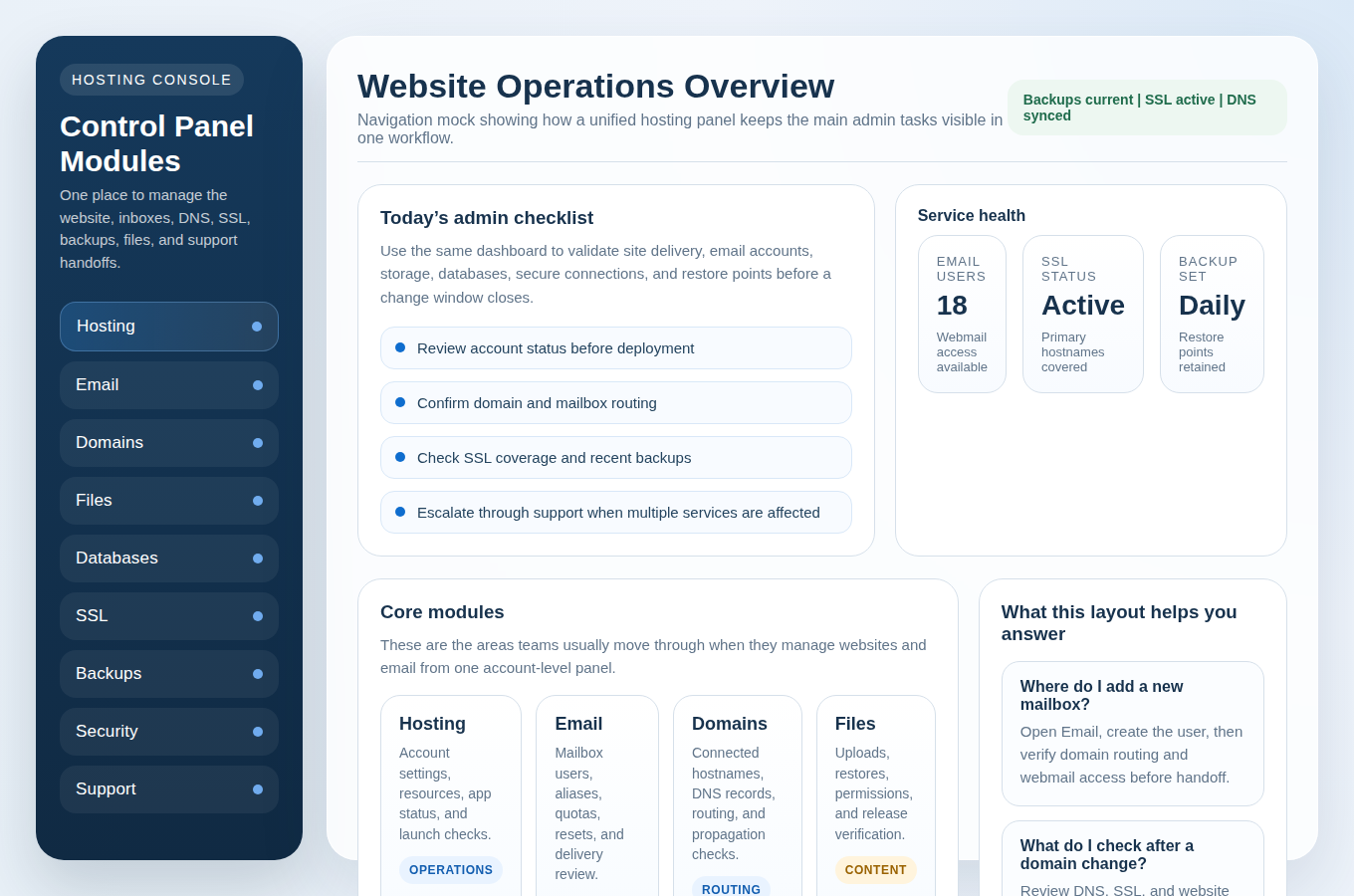
- The control panel shows domains, DNS, email, SSL, backups, and support access in a way that is readable, not buried.
- You can identify how to open a ticket, view case updates, and understand severity or escalation rules.
- You can see whether webmail access and mailbox management live in the same account area or require a separate login.
- You can tell what backup options exist without opening a sales chat to decode them.
- You can confirm who owns the domain, where DNS is hosted, and who can change records.
- You can verify how WordPress issues are handled: basic assistance, platform-only support, or full troubleshooting.
- You can get the support commitments in writing, including what “after hours” actually means.
If your team plans to formalize its own onboarding or support intake later, a neutral tool resource like this AI web app generator may help with the internal workflow side. Fine. Just do not let tool planning distract you from checking the provider’s actual support mechanics first. That is the live dependency.
Request the Plan, Then Confirm the Terms in Writing
Once the answers look solid, move to the boring final step: get the support details confirmed in writing before you buy. That means response expectations, emergency channels, restore handling, WordPress scope, and ownership of domain and email settings. If a provider resists written clarity before money changes hands, imagine the elegance of that process during an outage.
First diagnostic step before changing anything else: send one plain-language message that lists your top support scenarios and asks for written confirmation. Then compare the reply with the checklist above. If the answer is specific, structured, and calm, keep going. If it is vague or evasive, rule that out before checkout.
Request Hosting Plan if you want those support terms clarified directly, or use Contact Support to test how the team answers practical questions before you commit.
FAQ: How Fast Is Fast?
Fast means the provider defines urgency and matches it with a response target that fits the risk. For a website outage, mail-routing failure, or account lockout, “we will get back to you soon” is not fast. A useful answer names the priority level, the first-response expectation, and the next escalation step if the issue is still unresolved.
FAQ: What Happens During a Restore?
A competent restore process starts with scope. Support or the account owner confirms what needs to be recovered: files, database, mailbox data, or the full account. Then they confirm the restore point, the expected impact, and whether current changes will be overwritten. If the provider cannot explain that sequence before the incident, you do not have a restore process yet. You have a future argument.
Key takeaway: support is not “good” because it sounds polite. It is good because it is specific, reachable, documented, and tied to systems you can actually verify.