If you are switching hosting or email providers, the sales page is the easy part. The control panel is where the business case gets tested. It should show you, plainly, whether you can manage uptime, backups, SSL, DNS, email, and support without opening a ticket for every small change.
This checklist is for small businesses and agencies that need a provider they can actually operate. If you want the broader service picture first, start with Website Hosting, Email Hosting, and the Control Panel overview.
1. Can you see uptime and service health without guessing?
A good control panel gives you a simple read on service status: current uptime, recent incidents, maintenance notices, and whether the issue is isolated to email, DNS, or the full hosting stack. That matters because “it should be fine” is not a monitoring strategy.
Ask whether the panel includes alerts or a status history, and whether you can subscribe to notifications. If the provider hides service health behind support tickets, expect more friction later, not less.
For the modern domain layer, confirm the panel can expose registration data and management details cleanly. ICANN’s ICANN Lookup and RDAP guidance show why clear domain records and current management access are part of basic operational hygiene, not trivia.
2. How backups work, not just whether they exist
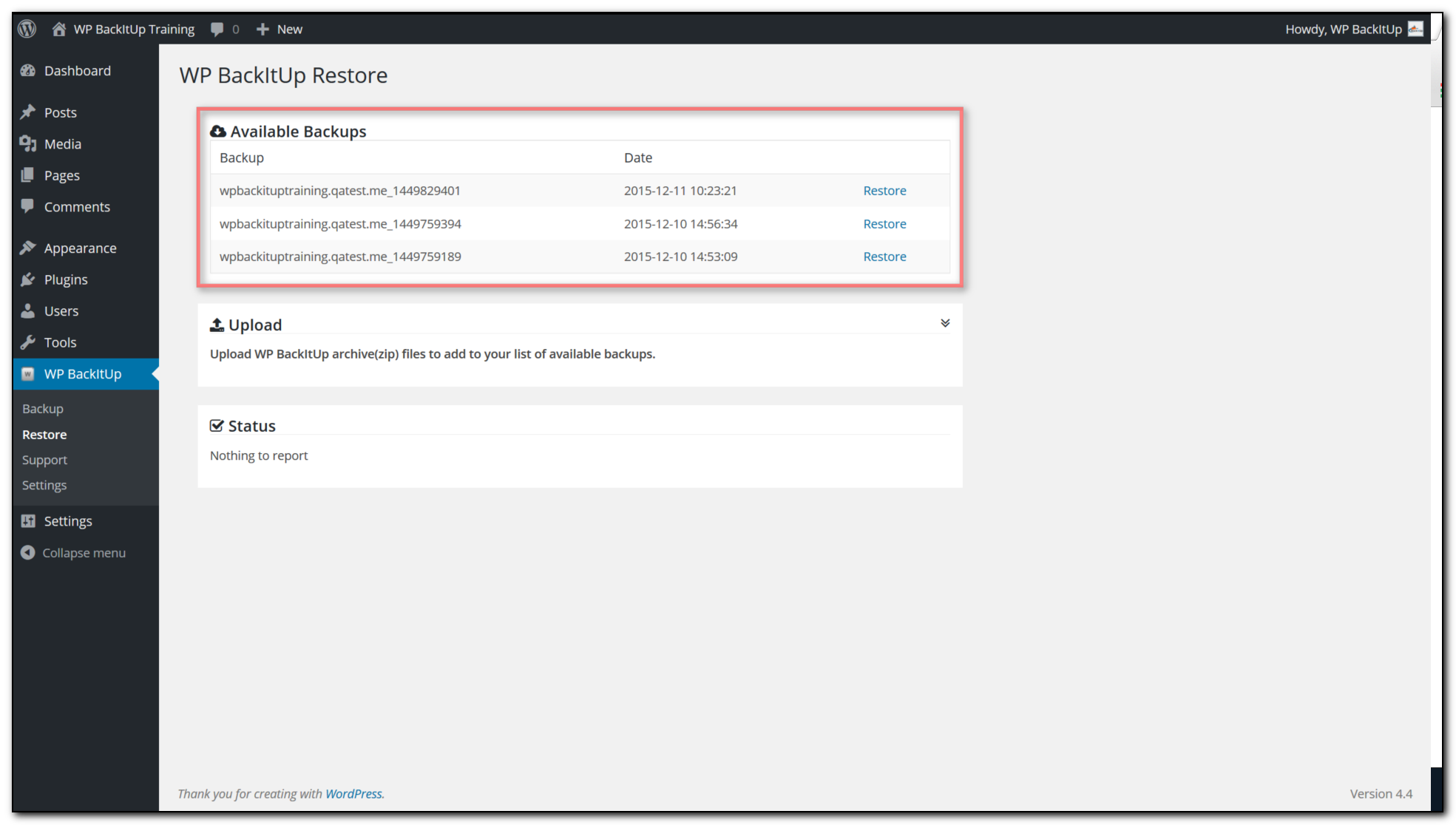
Backups are only useful if the panel tells you the schedule, retention window, and restore options. Look for daily or at least frequent backups, clear retention rules, and the ability to choose a restore point before you need one.
- Backup frequency: how often copies are taken
- Retention: how long restore points are kept
- Scope: files, databases, email, or full account
- Restore method: one-click, guided restore, or ticket-only
- Testing: whether restores are actually verified
Cloudflare’s hacked-site recovery guidance is blunt on the important point: recovery is about getting back to a clean state, and that usually depends on usable backups plus responsive provider help. A backup you cannot restore is a souvenir.
3. SSL should be visible and manageable from the panel
Check whether SSL is automatic, renews cleanly, and shows an actual status in the control panel. You want to see certificate coverage, expiration timing, and any failed validation notices in plain language.
Browser lock icons are not a strategy, but they do make a useful sanity check. If the panel shows SSL as pending forever, or makes renewal a manual support chore, that is a signal about the rest of the operation too.
The WordPress ecosystem keeps reinforcing this expectation with tools focused on centralized security and recovery. For a current example of buyer expectations around integrated backup and monitoring workflows, see the WP Umbrella plugin listing on WordPress.org.
4. DNS tools should cover the jobs you will actually do
DNS management is where many migrations slow down. In the panel, confirm that you can edit common records without support intervention: A, AAAA, CNAME, MX, TXT, and ideally DNSSEC settings if your provider supports them.
At minimum, the interface should make it easy to route a website, verify email, and point services without guesswork. If you are comparing providers, check whether they make DNS changes visible, reversible, and timestamped.
For a practical reference point, Cloudflare’s public DNS resources and ICANN’s RDAP materials both underline that domain and DNS management are operational assets. If the provider treats them like attic storage, move on.
Useful internal references: Domains & DNS and Security & Backups.
5. Email and webmail should be first-class, not an afterthought
If email is part of the service, check mailbox creation, aliases, forwarders, spam controls, and browser-based access. Webmail matters when staff travel, reset passwords, or need a fallback during an outage.
A good panel should let you manage mailboxes without involving the help desk, while still giving you support paths for deliverability problems. If you need to ask permission to add a mailbox, the product is already working against you.
Review the browser workflow directly on the Webmail page and make sure the provider explains spam filtering, sender authentication, and recovery options in the control panel.

6. Security and access controls should be obvious
Before you switch, verify the panel supports practical account security: strong passwords, two-factor authentication if available, role-based access, and a clean audit trail for critical actions. The goal is simple: reduce the odds that one mistake becomes a full outage.
Also check whether the provider has clear steps for malware cleanup, compromised accounts, and recovery assistance. Security is not only about prevention; it is about how fast the provider can help you recover when prevention fails.
ICANN’s DNS abuse work is a reminder that domain operators are expected to take abuse response seriously. If the control panel gives you no sign of that discipline, the absence is meaningful.
7. Support paths should be visible inside the panel
Support is not just a phone number on a footer. In the control panel, look for ticket history, priority routing, incident reporting, live status links, and a clear path for restore requests. If the provider promises “fast support” but buries the workflow, you are buying a slogan.
Ask direct questions before you commit:
- How quickly are critical incidents acknowledged?
- Who handles restore requests, and during what hours?
- Can support restore a single site, mailbox, or DNS zone without affecting the rest?
- Do you document outages and root causes after the fact?
If you want a provider that can answer those questions plainly, start with the Support page and then compare it against the control panel itself. The panel is the real contract.
A simple scorecard for comparing providers
| Category | What good looks like | Red flag |
|---|---|---|
| Uptime visibility | Status page, incident history, alerts | No service health details |
| Backups | Clear schedule, retention, restore points | Backups mentioned but not exposed |
| SSL | Automatic issuance and visible renewal status | Manual tickets for certificates |
| DNS | Edit common records in a few clicks | Support must make every change |
| Webmail, aliases, spam controls, deliverability help | Mail is treated as a side feature | |
| Support | Clear response path inside the panel | Hope and a contact form |
When to choose a bundled provider
If you manage a business site, branded email, domains, and backups, a single well-structured panel often reduces operational drag. One login, one billing relationship, one place to check when something breaks. Not glamorous, but neither is reconstructing your MX records at 7:40 a.m.
That is the practical test: does the provider help you manage the whole stack, or does it make every important task someone else’s problem? If you need a fresh plan review, use Contact to request hosting guidance or compare options.
Bottom line: before you switch, prove that the control panel gives you visibility, restore power, DNS control, email access, and a real support path. Marketing copy is cheap. Recovery is not.